Generate components from text
- Available as a preview in version
3.1.0 -
This feature is currently provided as a preview and will be further improved based on feedback from real-world usage. Please share your experience and improvement points on feedback@magnolia-cms.com.
Transform plain text into fully populated page components with the AI Accelerator module. This feature eliminates the need to manually fill out dialog fields by allowing you to provide a free-form text description. The AI interprets the text and automatically populates all component fields, accelerating content creation.
Usage
Create components by providing natural language descriptions:
-
Open the Pages app.
-
Open a page and select the area to which you want to add a component.
-
Click Text to component in the action bar.
-
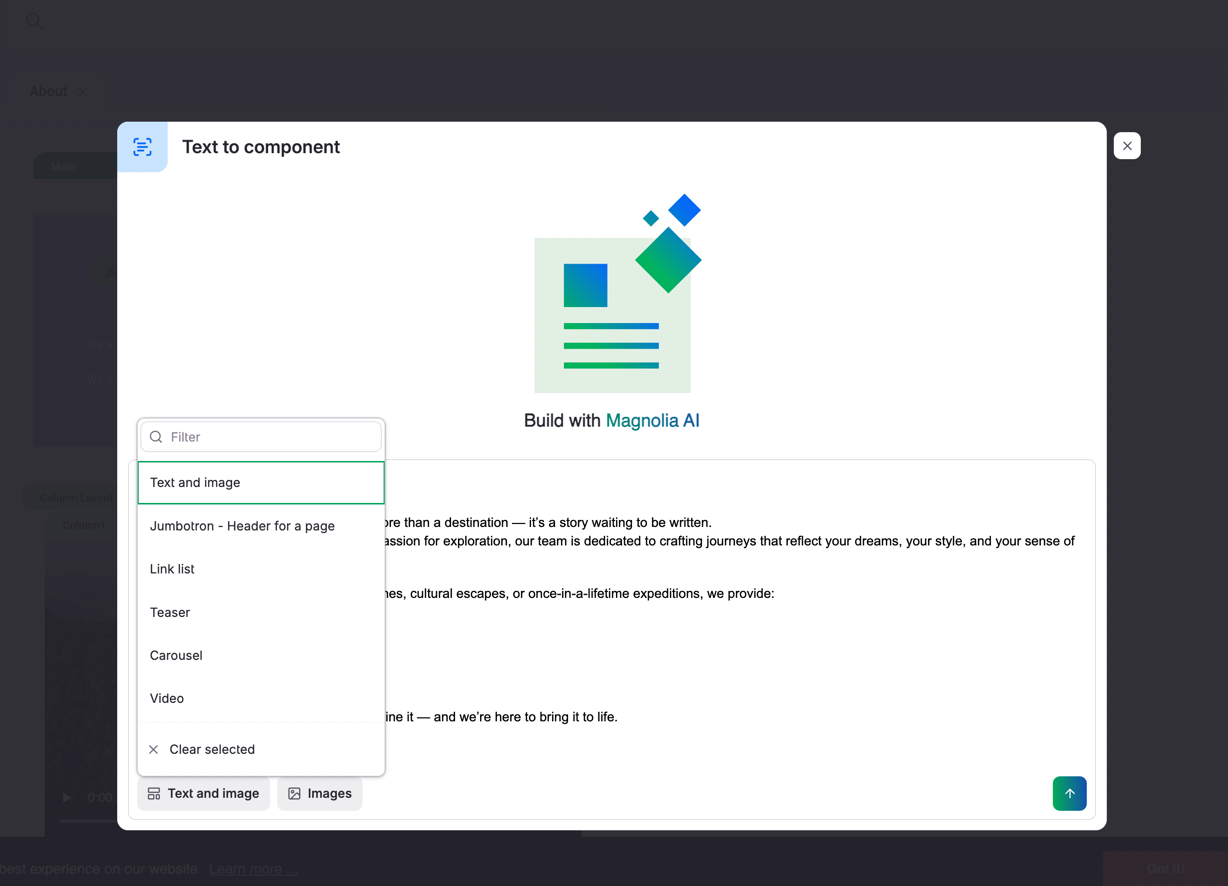
Click Component and select the type of component you want to add.
Depending on the type of component you select, additional input buttons appear (such as Images or References).
-
Enter or paste your content in plain text format.
-
Click Generate to let the AI interpret your text and create the component.
The AI analyzes your text, determines the appropriate component structure, and automatically fills all dialog fields with the extracted information.